Coast Creative
Lumen MacOS Widgets
Lumen MacOS Widgets
Couldn't load pickup availability
Desktop widgets made of light and glass.
Youtube link: https://youtu.be/6mHm50rCgt8
Lumen puts 51 glass widgets on your Mac desktop — clocks, weather, reminders, focus timers, system stats, and more — and the glass isn't a trick: it reads your actual wallpaper and tunes every widget to match it. Pick the corner your widgets live in and they match that corner. 55 built-in 5K wallpapers, or import your own.
Details
Most widgets sit on your wallpaper. Lumen's belong to it.
Every one of Lumen's 51 widgets is a pane of glass — luminous numerals, a single glowing accent, and a surface that carries your actual wallpaper's colors. Change the wallpaper and every widget re-tunes itself. Keep your widgets in one corner? Tell Lumen which corner on a little picture of your monitor, and the glass matches the colors that are actually behind it.
The look is yours to tune. Ten accent colors or any custom color. Eight numeral styles, from a featherweight face to a hairline, a serif, a sci-fi face, and a dot-matrix throwback. Three glass surfaces — Glass, Smoke for bright wallpapers, Frost with dark ink for light setups. Dial the glow from full halo to crisp. One click applies it to every widget already on your desktop.
The widgets do real work, too. Tap a reminder to check it off. Start a focus session and watch it burn down live on your desktop. Skip tracks from the Apple Music remote — the play button responds instantly. Log a glass of water. Follow three stocks. Watch CPU, memory, GPU and storage sweep across a single pane, refreshed as often as every 30 seconds. Click the weather, calendar or reminders widgets and they open Apple's own apps.
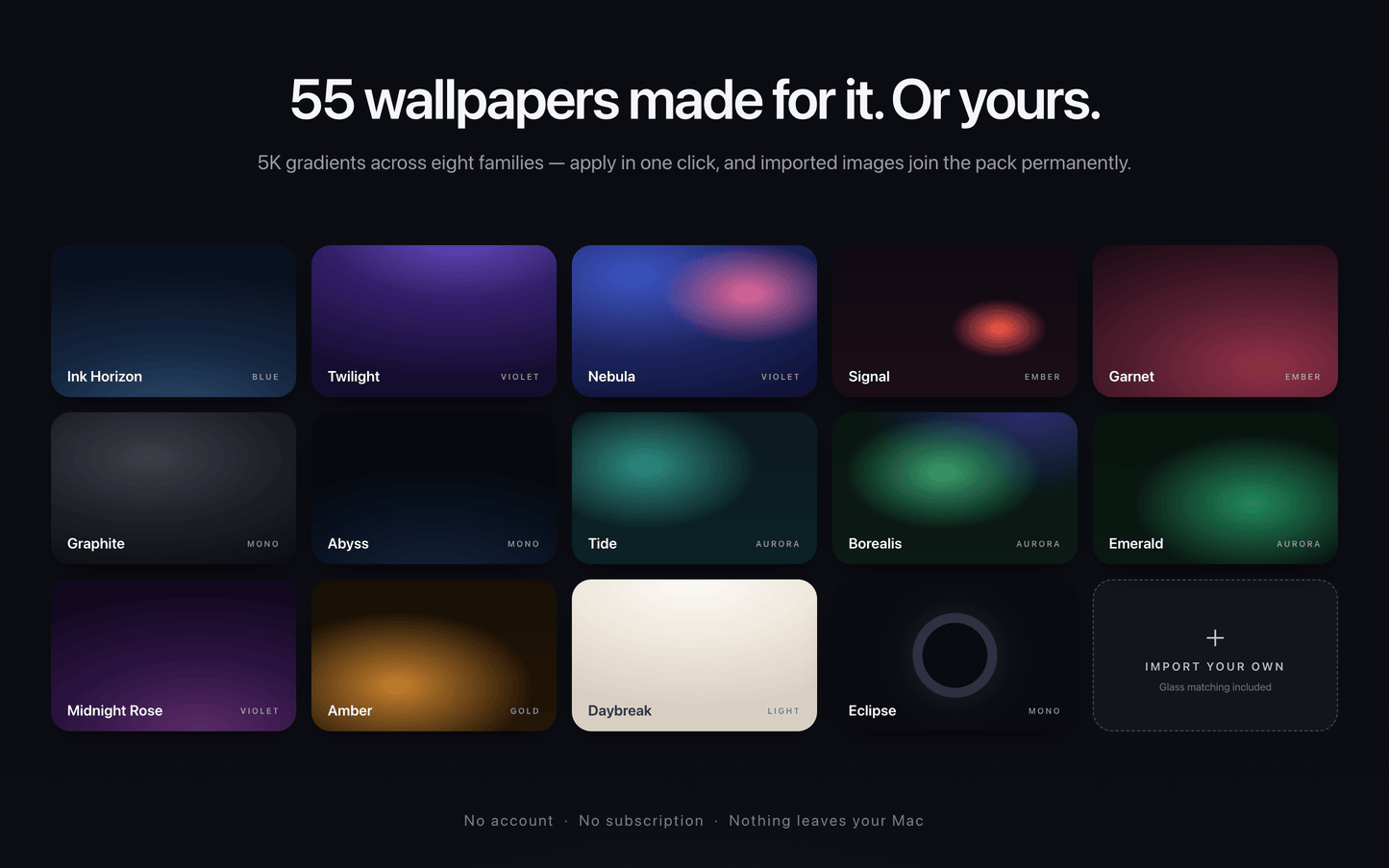
It ships with 55 wallpapers made for the aesthetic — deep blues, auroras, golds, earth tones, neons, and light options, all 5K — and applying one takes a click, no System Settings. Or import your own images and they join the pack permanently, glass matching included.
Lumen lives quietly in your menu bar: close the window and it disappears from the Dock while every widget keeps working.
Everything runs on your Mac. No account, and none of your data leaves your machine.
Highlights:
• 51 widgets across 12 categories: clocks, weather, reminders and calendar, focus and habits, health, media, system stats, stocks, notes and more
• Glass that samples your real wallpaper — whole screen or just the corner your widgets live in
• 55 built-in 5K wallpapers, plus permanent imports of your own
• Ten accents plus custom colors, eight numeral styles, three glass surfaces, glow control
• Interactive: complete reminders, log water, control Apple Music, start timers — right on the desktop
• Live where it counts: ticking timers, a minutes-filling clock ring, a sun that tracks the real sky
• 12/24-hour time and °F/°C follow your system, or set them per widget
• Native and universal for Apple Silicon and Intel; requires macOS 26 or later
Permissions
This app only asks for access when a widget needs it: Reminders and Calendar for the agenda widgets, location for local weather, Music for the remote keys, and Mail (off by default) for the inbox count. Each one is a standard macOS permission prompt, and everything keeps working without them — widgets you don't connect simply show sample data.
Lifetime License. All buyers will receive all future updates free of charge.
Share